
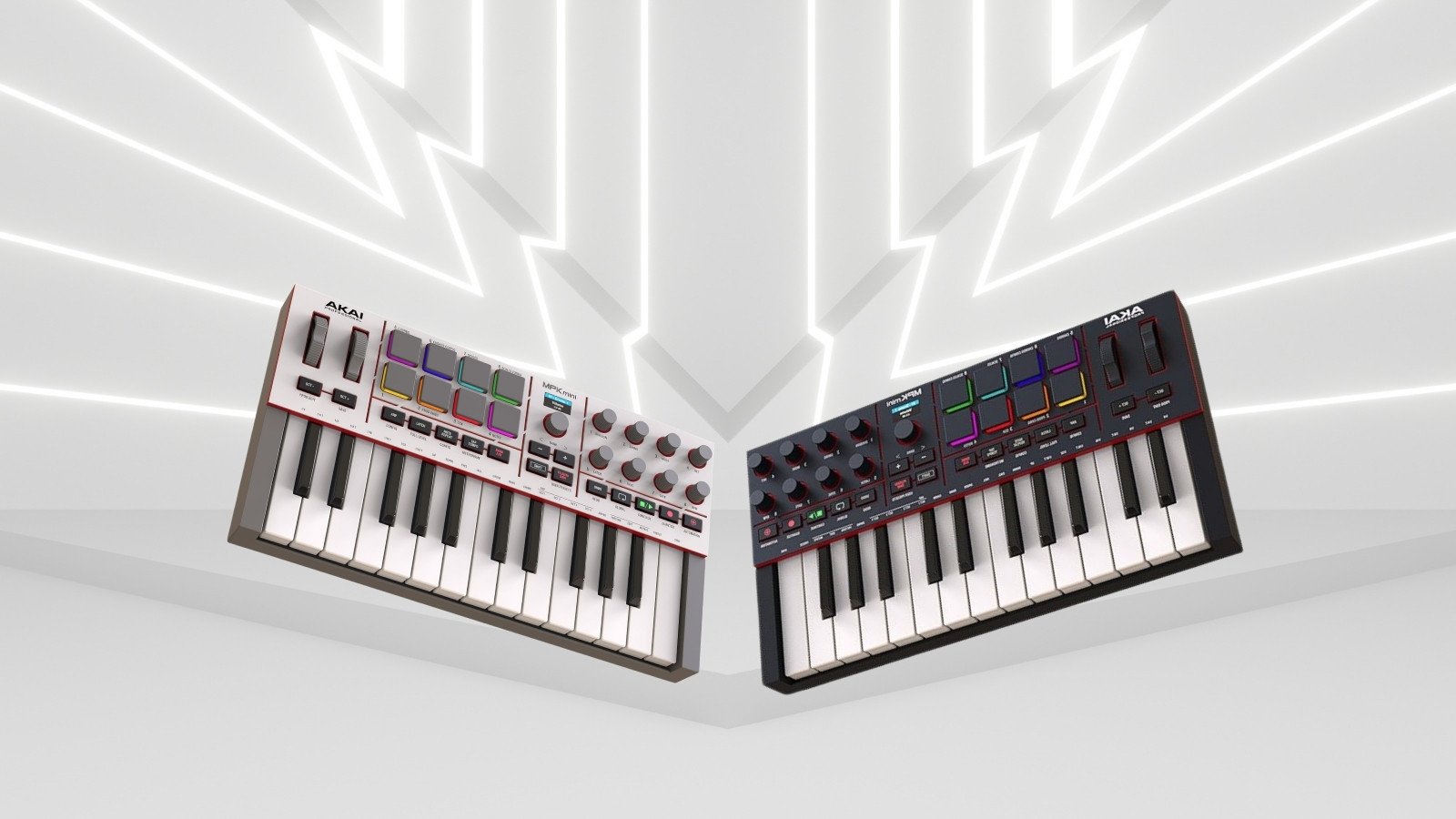
If you want to make music that sounds like it belongs tearing down a neon-lit highway at midnight, you need the right engine. While we spend a lot of time talking about the vintage synths and cars that defined the synthwave era, the reality of modern production is that your MIDI controller is your steering wheel.
Enter the Akai MPK Mini IV. By ditching old design quirks, adding a color display, and integrating a massive new software library, Akai has created the ultimate portable sketchpad for Outrun, Darksynth, and Retrowave producers.
Here is exactly how to use the MPK Mini IV to build your next retro-electronic anthem.
1. Basslines: The Return of True Pitch & Mod Wheels
The pulsing, driving bassline is the heartbeat of Outrun. On their previous standard mini controllers, Akai traditionally used a thumbstick for pitch and modulation. While compact, it made executing precise, slow filter sweeps on a darksynth bass incredibly difficult.
The MPK Mini IV replaces that joystick entirely with dedicated, mechanical pitch and modulation wheels. This is a massive upgrade for synthwave producers. You can now physically map the Mod wheel to your software synthesizer’s cutoff frequency, allowing you to manually perform aggressive, swelling bass drops with perfect tactile control. The layout also features an updated 3rd-generation dynamic keybed across 25 mini keys, giving you a much more expressive playing experience.
2. Drums: Finger-Drumming on Legendary MPC Pads
You cannot make an 80s beat without massive, gated snare drums and punchy kicks. The MPK Mini IV features 8 velocity- and pressure-sensitive, RGB backlit MPC pads inherited straight from Akai’s legendary standalone samplers.
By loading up a classic LinnDrum or Roland TR-707 sample pack into your DAW, you can use the pads to physically tap out driving 4-on-the-floor rhythms. The controller also features expanded, dedicated DAW transport controls, meaning you can capture your arrangements directly from the hardware without ever reaching for your mouse.
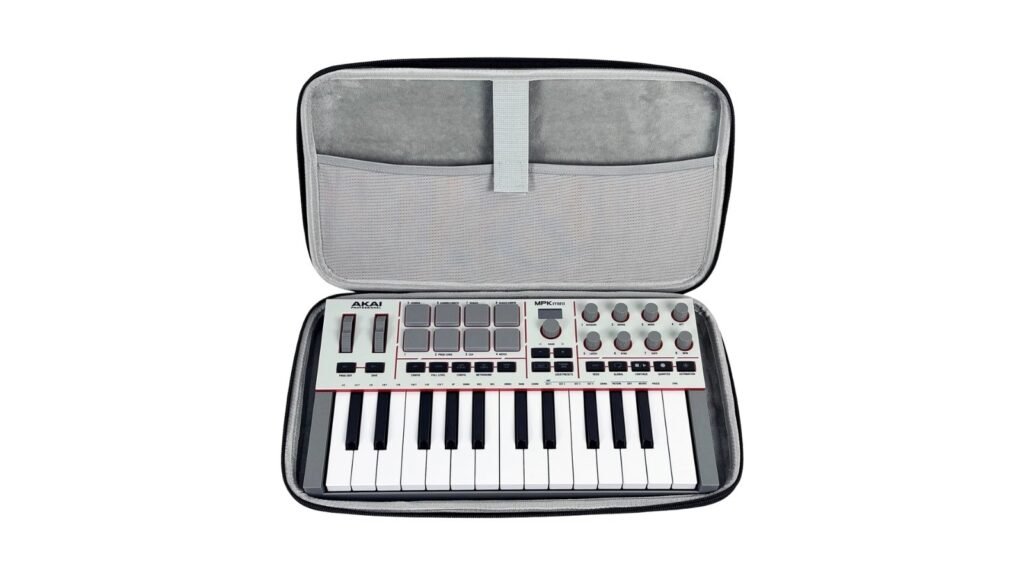
3. Melodies: Advanced Arpeggios & Smart Tools
Outrun relies heavily on fast, 16th-note arpeggios that twinkle above a heavy bass. The MPK Mini IV includes an enhanced arpeggiator that acts as a creative cheat code.
The arpeggiator features new Pattern, Freeze, and Mutate functions to encourage on-the-fly experimentation. Paired with built-in Scale and Chord Modes—which lock the keyboard to your chosen key so you never play a wrong note—you can generate complex, evolving synthwave melodies or classic, driving minor-scale arpeggios in a matter of seconds. You can even monitor your current preset and navigation parameters directly on the new full-color screen.
4. Studio Instrument Collection & Connectivity
If you are just starting out and don’t own thousands of dollars in analog gear, the new software bundle has you covered. The MPK Mini IV ships with the Studio Instrument Collection, a premium standalone and VST/AU plugin suite. This includes over 1,000 studio-quality presets from AIR Music Tech, Akai Professional, and Moog Music. The software instantly maps to the controller’s 8 assignable 360-degree rotary knobs right out of the box.
For advanced producers, the MPK Mini IV features a physical 5-pin MIDI Output port alongside its modern USB-C connection. This means you can plug the controller directly into vintage 1980s hardware modules—like the ones we explored in our Roland JD-990 breakdown—to play them hardware-to-hardware.
Akai MPK Mini IV: Technical Specifications
| Feature | Specification |
| Keys | 25 velocity-sensitive mini keys (3rd-generation keybed). |
| Pads | 8 RGB backlit, velocity/pressure-sensitive MPC pads. |
| Knobs & Wheels | 8 assignable 360° rotary knobs; 1 Pitch Wheel; 1 Mod Wheel; 1 Menu Encoder. |
| Display | Full-color OLED screen for visual feedback and browsing. |
| Connectivity | 1x USB-C port, 1x 5-pin MIDI Output, 1x 1/4″ Sustain Pedal input. |
| Dimensions & Weight | 13.68″ x 1.8″ x 7.56″ / 2.31 lbs (1.05 kg). |
| Software Included | Studio Instrument Collection (1,000+ presets from AIR, Akai, Moog). |
Global Price Comparison
The Akai MPK Mini IV remains one of the most accessible entry points into hardware music production. Below is the standard retail pricing across major global markets.
- United States (USD): $99.00 MSRP
- Europe (EUR): €109.00
- United Kingdom (GBP): £89.00 (Est.)
- Australia (AUD): $149.00 (Est.)
Frequently Asked Questions (FAQ)
Does the Akai MPK Mini IV work without a computer?
While it requires USB bus power to turn on, you can use a standard USB wall adapter and connect the physical 5-pin MIDI output directly to external hardware synthesizers or drum machines to play them without a computer.
How does it compare to the standard MPK Mini mk3?
The MPK Mini IV adds an upgraded 3rd-generation keybed, a full-color screen, USB-C connectivity, and expanded DAW transport buttons. Crucially, it replaces the mk3’s plastic thumbstick with physical pitch and mod wheels.
Can I use the MPK Mini IV with FL Studio or Ableton?
Absolutely. The controller features pre-programmed 1-to-1 DAW mapping scripts for major industry software including Ableton Live, Logic Pro, and FL Studio, ensuring an immediate plug-and-play workflow.
Bonus Tutorial: Mapping the MPK Mini IV to Sound Radix Radical1 Solo
If you want the ultimate tactile darksynth workflow, pairing the physical knobs of your Akai MPK Mini IV with the free Sound Radix Radical1 Solo additive engine is a game-changer. Radical1 is currently in pre-release and is generating massive waves in the sound design community. Because Radical1 Solo uses a highly visual “What You See Is What You Hear” workflow, mapping your physical controls takes less than a minute.
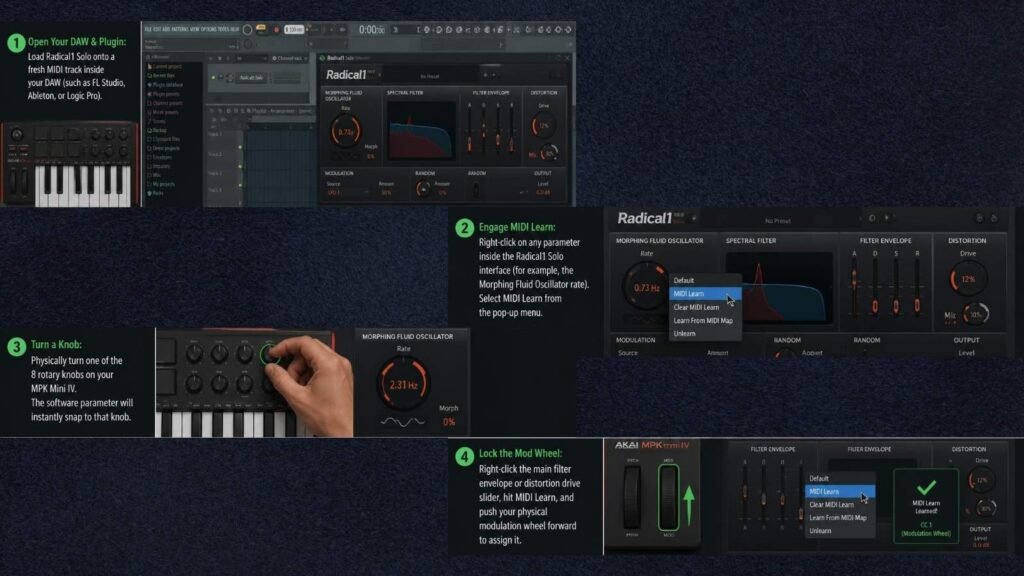
Step-by-Step MIDI Mapping:
- Open Your DAW & Plugin: Load Radical1 Solo onto a fresh MIDI track inside your DAW (such as FL Studio, Ableton, or Logic Pro).
- Engage MIDI Learn: Right-click on any parameter inside the Radical1 Solo interface (for example, the Morphing Fluid Oscillator rate). Select MIDI Learn from the pop-up menu.
- Turn a Knob: Physically turn one of the 8 rotary knobs on your MPK Mini IV. The software parameter will instantly snap to that knob.
- Lock the Mod Wheel: Right-click the main filter envelope or distortion drive slider, hit MIDI Learn, and push your physical modulation wheel forward to assign it.
Recommended 8-Knob Layout for Darksynth:
- Knobs 1 & 2: Oscillator Morph and Harmonics Draw (For altering the raw waveform).
- Knobs 3 & 4: Filter Cutoff and Resonance (For aggressive mid-range sweeps).
- Knobs 5 & 6: Envelope Attack and Decay (To instantly switch from plucky arpeggios to swelling bass pads).
- Knobs 7 & 8: Quantize Modulator and Distortion Drive (For adding grit and crunch on the fly).