
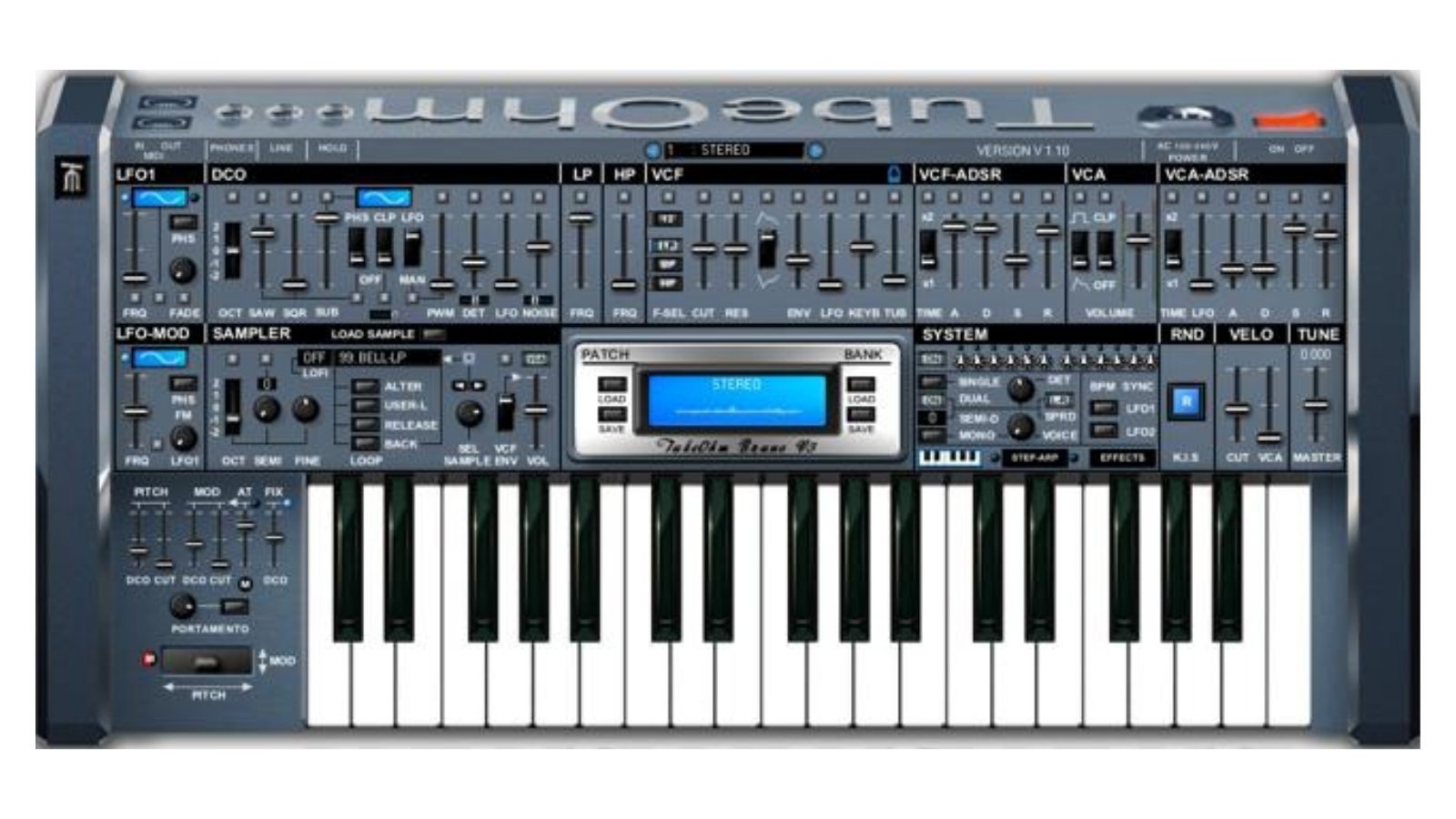
After officially retiring their commercial storefront in early 2025 and releasing a massive archive of legacy 32-bit plugins for free, legendary developer TubeOhm has surprised the production community with a brand-new gift.
Enter the TO-Sampler (or TO-Live-Sampler)—a brand new, completely free 64-bit VST3 sampler built specifically for Windows.
While it might look like a simple utility on the surface, this lightweight tool hides a remarkably capable synthesis engine. If you are producing heavy retro-electronic tracks, like the ones featured in our Ultimate Synthwave Workout Playlist, this unassuming plugin might just be the workflow upgrade you’ve been looking for.
Why Darksynth Producers Need a New Sampler in 2026
Let’s address the elephant in the room: why use a 5MB-limit sampler when modern DAWs come with massive, gigabyte-heavy sample engines? Because of character and speed.
The modern synthwave and cyberpunk scenes are currently flooded with the exact same polished, generic sample packs. To stand out in your August darksynth releases, you need to stop relying on drag-and-drop loops and start mangling your own sounds.
The TO-Sampler is designed for this exact granular, lo-fi workflow. It allows you to record audio directly into the plugin or drag in a WAV file. From there, you can aggressively crush the audio down to a 2-bit resolution and run it through the built-in soft distortion. Need to turn a random metallic clang into a gritty, sustained darksynth bass drone? Just use the TO-Sampler’s crossfade looping tool to create a smooth, click-free tail, pitch it down, and let the onboard Arpeggiator take over.
It is a sandbox for creating custom, aggressive percussion and lo-fi textures that no one else has.
The Synth Engine: More Than Just Playback
TubeOhm didn’t just build a playback machine; they bolted a classic synthesizer architecture directly onto the sampler. Once your audio is loaded, you have access to a full suite of shaping tools.
| Feature | Description |
| Sample Editing | Direct audio recording, WAV import, waveform display, and crossfade looping for click-free sustains. |
| Modulation | 3 independent ADSR envelopes (VCF, VCA, and a routing Mod envelope) plus a multi-waveform LFO. |
| Onboard FX | 2-bit reduction, soft distortion, stereo chorus, delay, room reverb, and stereo spread. |
| Sequencing | Built-in Arpeggiator and a Chord Generator (play complex chords from a single key). |
| Preset Storage | Internal Sound Bank capable of storing up to 128 custom patches. |
The SynthEdit Legacy
For plugin nerds, the TO-Sampler is also a fascinating technical release. It is built using SynthEdit, a legendary visual programming environment. Before the current era of “vibe-coded” plugins, SynthEdit was the primary way independent developers created VSTs without writing thousands of lines of C++.
While SynthEdit plugins historically had a mixed reputation for CPU efficiency, TubeOhm was always one of the developers who pushed the engine to its absolute limits, delivering solid, reliable freeware. With the recent news that SynthEdit 1.6 finally added native macOS export capabilities, plugins like the TO-Sampler (currently Windows-only) might finally see Mac ports in the near future.
System Requirements & Specs
The TO-Sampler intentionally limits samples to 5MB, forcing you to focus on quick sound design rather than bloated multi-sampled libraries.
| Specification | Requirement |
| Operating System | Windows PC ONLY. |
| Plugin Formats | VST3 (64-bit) and Standalone Application. |
| Sample Limit | 5 MB maximum per sample. |
| Price | FREE (Donations accepted via PayPal). |
How to Download TubeOhm TO-Sampler
You can download the TO-Sampler for free directly from the KVR Audio product page.
A quick note from the developer: TubeOhm offers this plugin “as-is” with no official bug support. If you love the sampler and want to encourage them to keep developing 64-bit plugins, consider sending a small donation (minimum €5) to their PayPal at kontakt@tubeohm.com.
If you are looking for more tools to upgrade your studio, be sure to browse the Future City Records Master Catalog for inspiration on how to utilize these lo-fi textures!
Frequently Asked Questions (FAQ)
Is the TubeOhm TO-Sampler compatible with Mac?
No, currently the TO-Sampler is a Windows-only plugin (VST3 64-bit) and standalone application. However, because it was built in SynthEdit, which recently added macOS export support, a Mac version could potentially be released in the future.
Can I use the sounds I make in commercial music?
Yes. According to TubeOhm, the instruments and sounds you create can be used free of charge in commercial music. However, reselling the software instrument itself is strictly prohibited.
What is the maximum sample size I can load?
The TO-Sampler supports a maximum sample size of 5 MB. It is designed to be a lightweight, fast-workflow tool for sound design rather than a replacement for massive library players like Native Instruments Kontakt.
Does it require an iLok or registration?
No. The TO-Sampler is completely DRM-free. You download it, install it at your own risk, and start making music immediately.